top of page

Generative AI Platform
GenAI cover.png

Introduction

Background:

In early 2024, cloud AI dominated the market, making secure, on-premise AI platforms so rare that there were almost no existing products to reference.

The company had strong backend technology for enterprise AI, but needed a visual platform to connect these secure services with end users.

Team members:

UI/UX Designer *1

Product Manager *1

Front-end Engineer *2

Back-end Engineer *2

My Responsibility:

End-to-End UI/UX Design

Design the complete interface design, translating complex backend AI logic into an intuitive SaaS platform.


Platform Architecture

Restructured the existing technical workflows into a clean, scalable layout.

​

Target audience:

IT Admins

Need to build knowledge bases, upload files for parsing, monitor server health, and tweak inference parameters.

​

General Staff

Need quick answers to internal questions. They rely on an intuitive chat to upload files and get accurate, RAG-driven AI responses.

Design Challenge:

The Constraint

A strict 3-week deadline with no time for deep research.

​

The Challenge

Using standard AI designs to balance advanced IT management with a simple chat experience, while building on the existing technical foundation.
​​

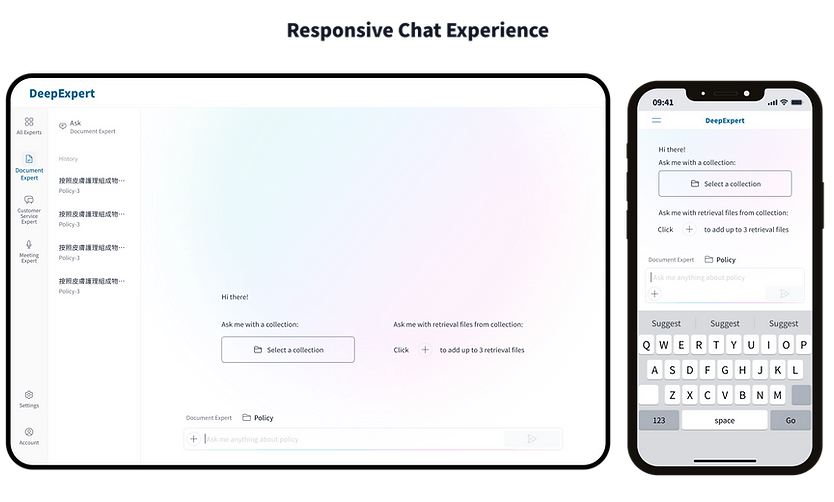
Responsive Chat Experience

A fully responsive interface ensures staff can ask the AI questions and upload files seamlessly from their phones during meetings or while away from their desks.

Responsive Chat Experience.png

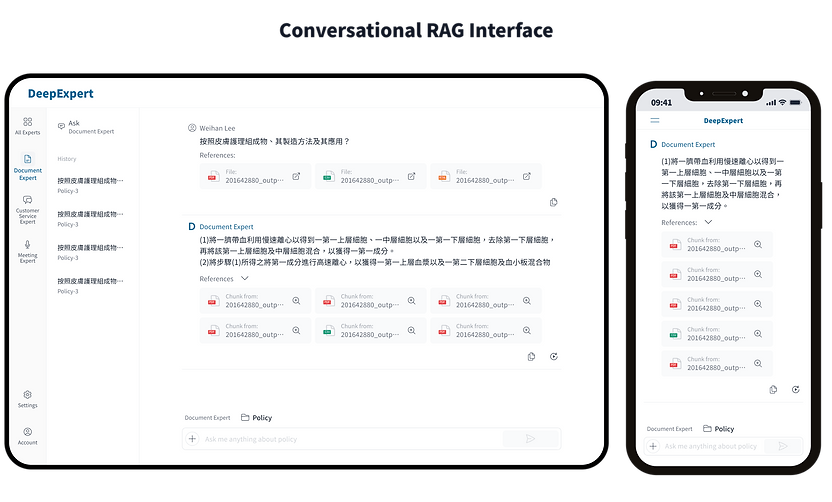
Conversational RAG Interface

General staff can select specific knowledge bases or upload local files during a chat to get precise, context-aware AI answers.

Conversational RAG Interface.png

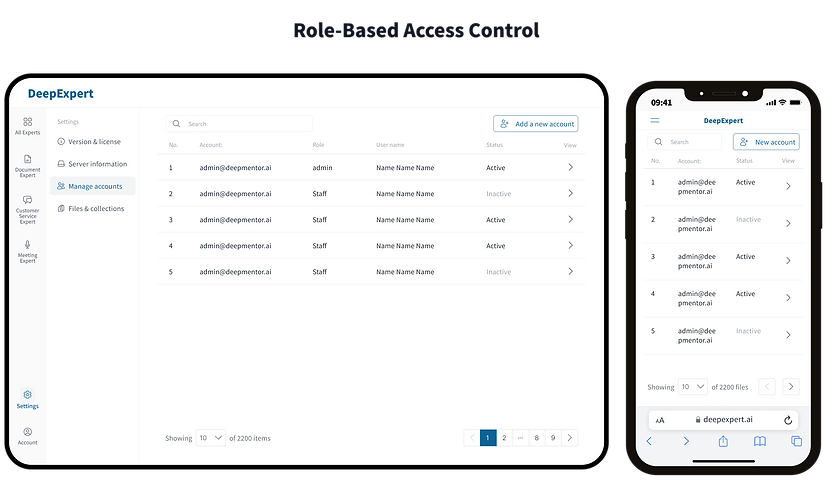
Role-Based Access Control

IT admins can easily assign specific knowledge bases or AI models to different departments, ensuring secure data isolation.

Role-Based Access Control.png

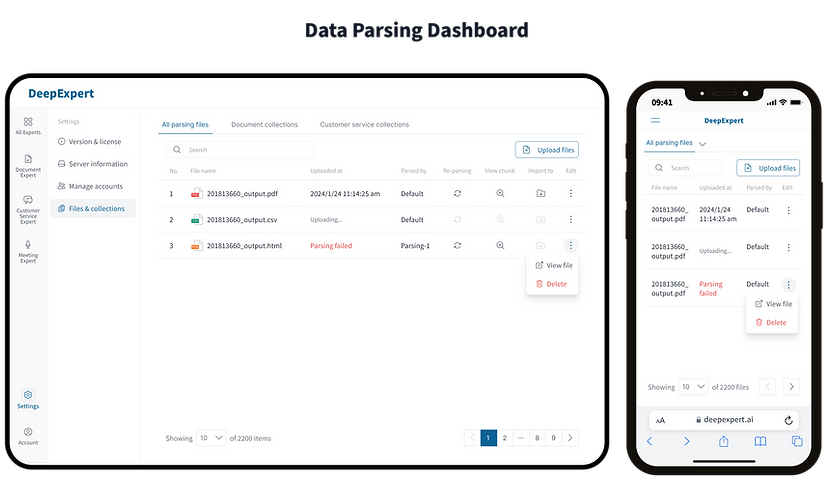
Data Parsing Dashboard

Admins can visually track the parsing progress of uploaded files (Success/Failed) to manage AI training data efficiently.

Data Parsing Dashboard.png

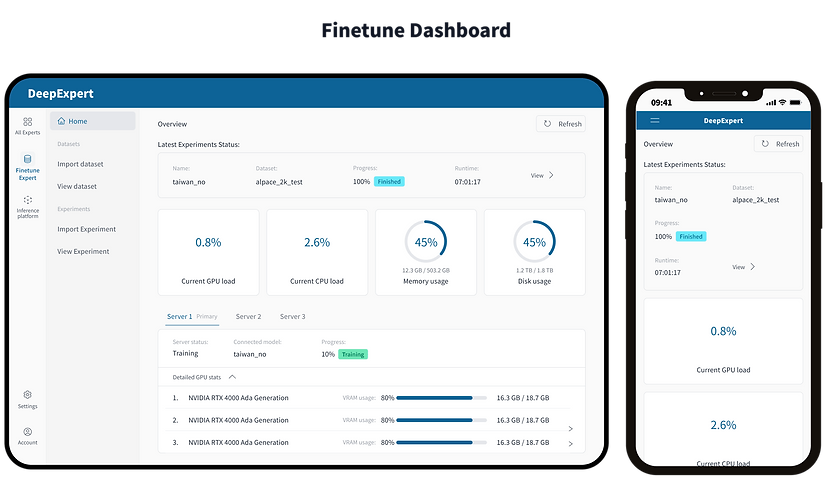
Finetune Dashboard

A centralized dashboard providing a quick overview of ongoing AI training progress and real-time server resource usage.

Finetune Dashboard.png

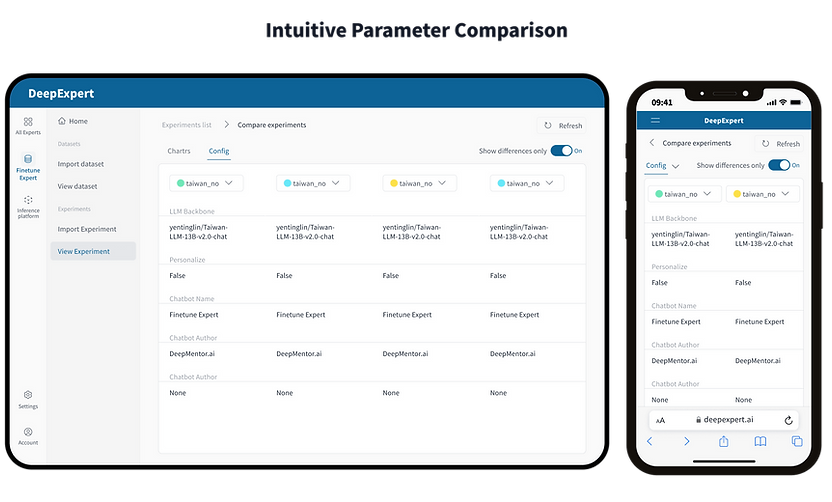
Intuitive Parameter Comparison

A side-by-side comparison tool allowing IT admins to quickly cross-check multiple experiment configurations and spot differences.

Intuitive Parameter Comparison.png

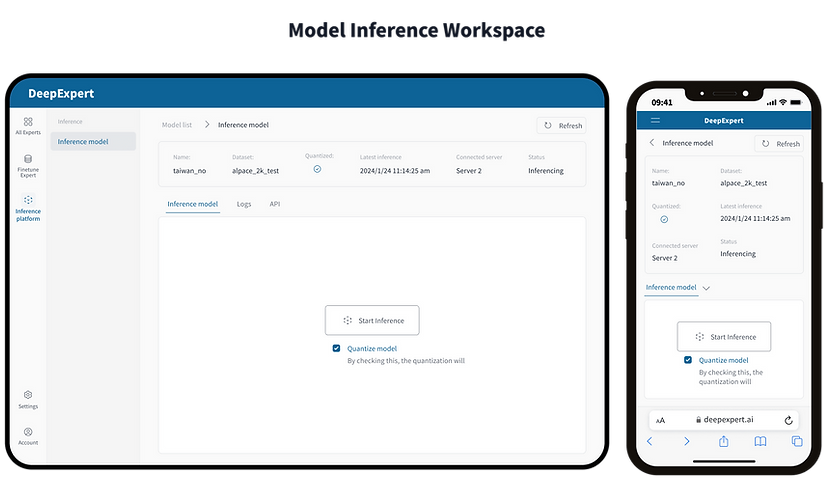
Model Inference Workspace

A dedicated workspace for IT admins to switch datasets and adjust inference parameters quickly in a clean, unified view.

Model Inference Workspace.png

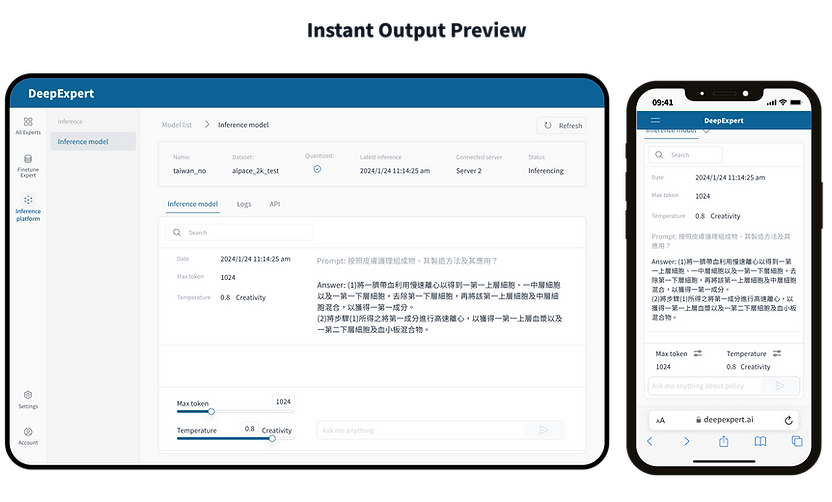
Instant Output Preview

Admins can instantly preview model outputs after tweaking parameters without navigating to a different page.

Instant Output Preview.png

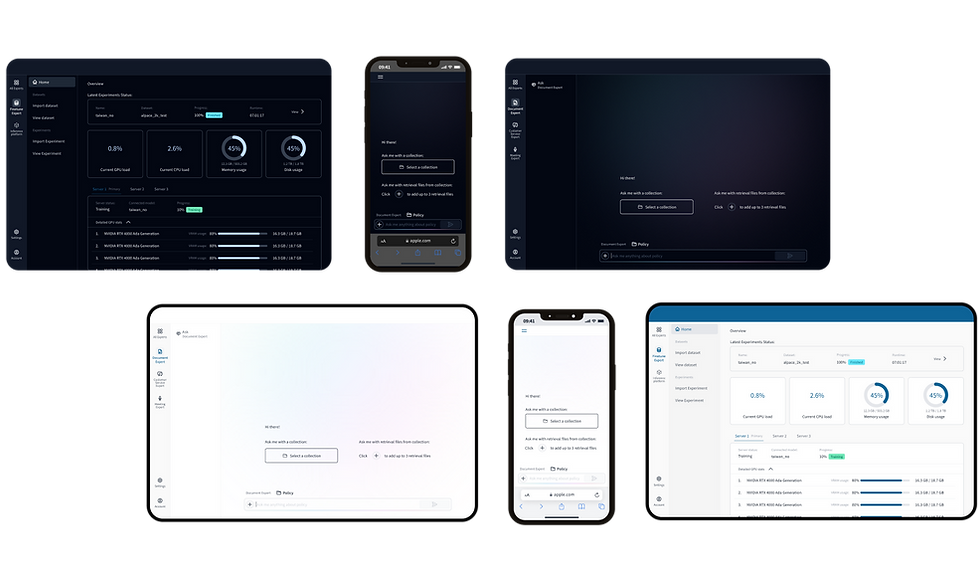
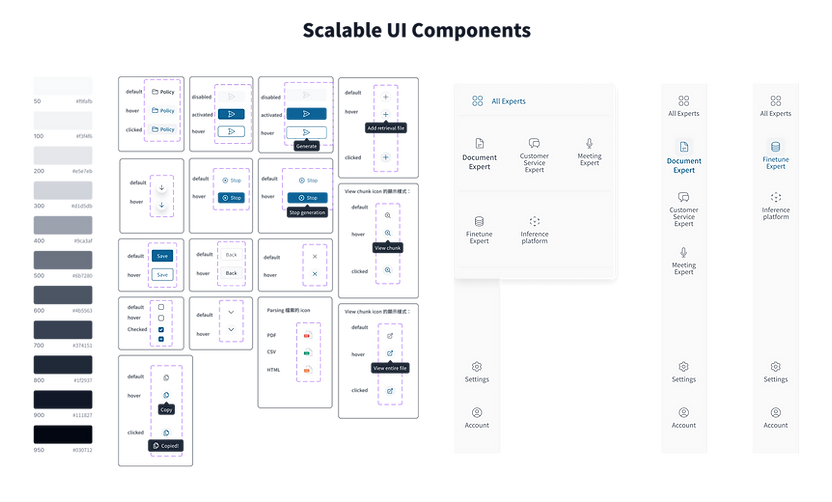
Scalable UI Components

A modular design system (including nav bars, sliders, and badges) that ensured rapid development within 3 weeks.
Scalable UI Components.png
bottom of page